
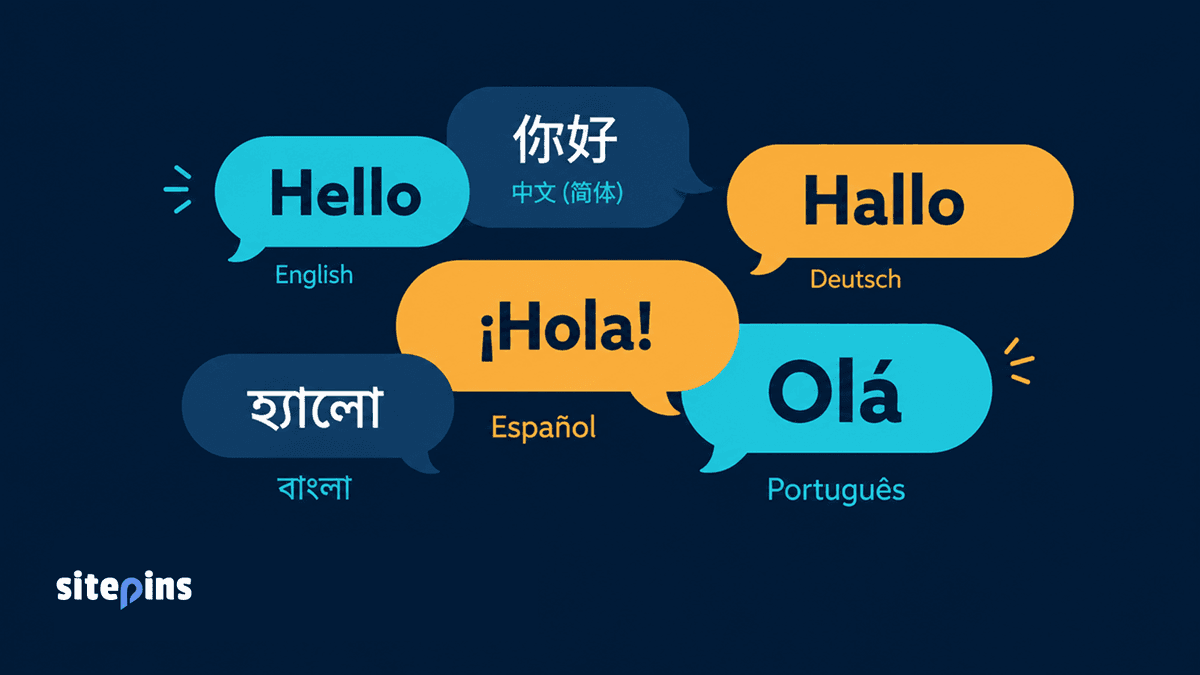
Sitepins now has native internationalization (i18n) support for 6 languages. No browser extensions needed. Learn what’s included and how to contribute your language.
Note: As of June 3rd 2026 We have updated this list to include 6 more languages, such as: Japanese (日本語, ja), French (Français, fr), Russian (Русский, ru), Korean (한국어, ko), Indonesian (Bahasa Indonesia, id), and Vietnamese (Tiếng Việt, vi. Sitepins now supports a total of 12 languages.
TL;DR
- Sitepins now ships with native internationalization (i18n) support. No external extensions required.
- Six languages are available at launch: English, Chinese (中文), German (Deutsch), Spanish (Español), Portuguese (Português), and Bengali (বাংলা).
- The native implementation preserves UI layout and keeps technical terms accurate - something browser-based translation tools cannot do.
- If your language is not here, let us know we’ll add it.
Why We Built This: Our Users Were Already Working Around It
We got feedback from users using browser extensions to translate the Sitepins interface. We get it, if a tool does not speak your language, you find a way to make it work.
But external translation tools are a rough fix. They break layouts. They mistranslate some terms into phrases that do not mean the same thing in a CMS context. And they require every user to set it up individually, with no consistency across a team.
That told us something clearly: Sitepins has users who need this, and they needed it to work properly.
So we built native i18n support directly into the product.
What “Native” i18n Actually Means for Your Workflow
Native i18n means the language switching is handled inside Sitepins itself, not by a third-party extension parsing your DOM after the fact.
Here is what that difference looks like in practice:
- Layout stays intact. Every string in the interface was written to fit the components it sits in. No text overflow, no broken menus, no clipped labels.
- Technical terms stay accurate. Git terminology is translated with context, not word-for-word. A “commit” in German is still a “Commit” - because that is the correct term for German developers too.
- Individual flexibility. Each team member picks their own language in their account settings. A developer in Berlin and a content editor in New York can work in Sitepins side by side, each in their own language, on the same project.
The Six Languages Available at Launch
Sitepins i18n launches with support for these six languages:
| Language | Code | Region Focus |
|---|---|---|
| English | en | Default |
| Chinese (中文) (Simplified) | zh-CN | Mainland China, Singapore |
| German (Deutsch) | de | Germany, Austria, Switzerland |
| Spanish (Español) | es | Spain, Latin America |
| Portuguese (Português) | pt | Brazil, Portugal |
| Bengali (বাংলা) | bn | Bangladesh, West Bengal |
English remains the default. All other languages are available through the language selector in your settings. We chose these six based on where our active users are. If your language is not here, let us know we’ll add it.
Note: Our updated list includes 6 more languages, such as: Japanese (日本語, JA), French (Français, FR), Russian (Русский, RU), Korean (한국어, KO), Indonesian (Bahasa Indonesia, ID), and Vietnamese (Tiếng Việt, VI). Sitepins now supports a total of 12 languages.
How to Switch Your Language in Sitepins
Switching languages takes about ten seconds:
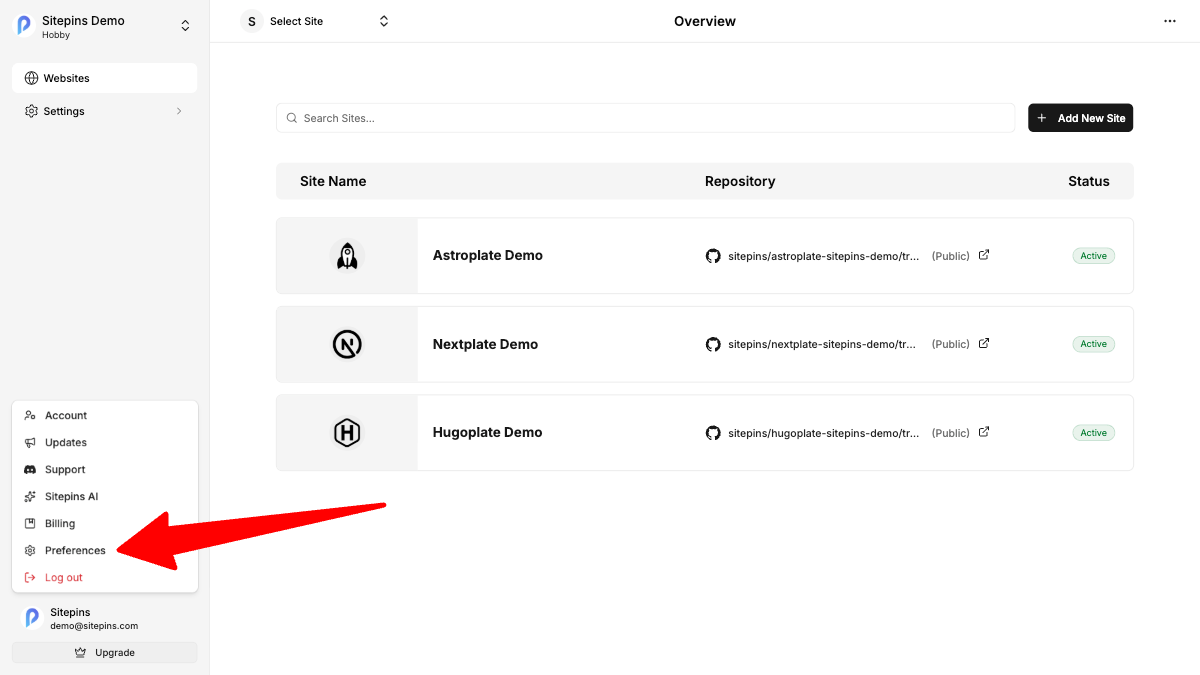
- Open Sitepins and go to Preferences.
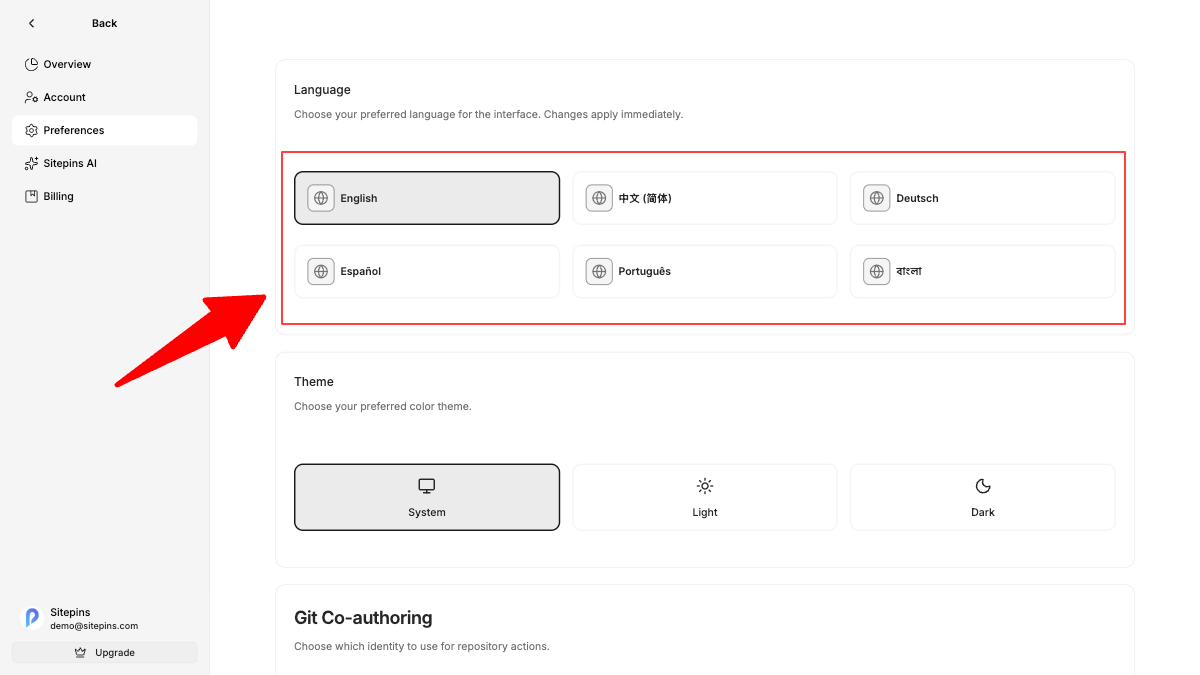
- Find the Language option and select your language.
- The interface updates immediately. No reload needed.
Your language preference saves to your account. If you use Sitepins across multiple devices, the setting follows you.
Help Us Improve and Expand Language Support
Six languages is a starting point, not a finish line.
If your language is not on the list, let us know. Tell us which language you need. We will prioritize additions based on demand and add them in future releases.
A note on translation accuracy
The current translations were built with tool assistance. We are not native speakers of every language we ship, which means some strings may be slightly off, awkward phrasing, a wrong technical term, or an inconsistency between screens.
If you spot something that does not read right in your language, please tell us. Your language knowledge is something we genuinely need and we will credit every correction in the release notes.
Try the update today.
Frequently Asked Questions About Sitepins i18n
Which languages does Sitepins support?
Sitepins currently supports English (default), Chinese (Simplified), German, Spanish, Portuguese, and Bengali. We will prioritize additions based on demand and add them in future releases.
How do I request a new language for Sitepins?
Tell us which language you need, we add it. The more requests a language gets, the higher it moves on our list.
What if I find a translation error in my language?
Contact us directly with what the translation currently says, and what it should say. We will fix it and credit you in the release notes.
Try the update today. And if you want to help expand it, the repo is open.