
In May, we focused on pushing features that make content management more transparent and accessible to everyone. We implemented native multilingual support across 12 languages, introduced a live preview system for a better content editing experience, enabled real-time collaborative editing, and shipped a few quality-of-life improvements across Sitepins.
Here’s everything we shipped in May 2026:
TL;DR
- Live Preview System — See your content changes reflected in real time before you publish.
- Multilingual Support (12 Languages) — Sitepins now supports 12 languages natively.
- Collaborative Editing — Live cursors and name labels show exactly who’s editing and where.
- Quality-of-Life Improvements — Small user experience improvements across the entire CMS
Live Preview System
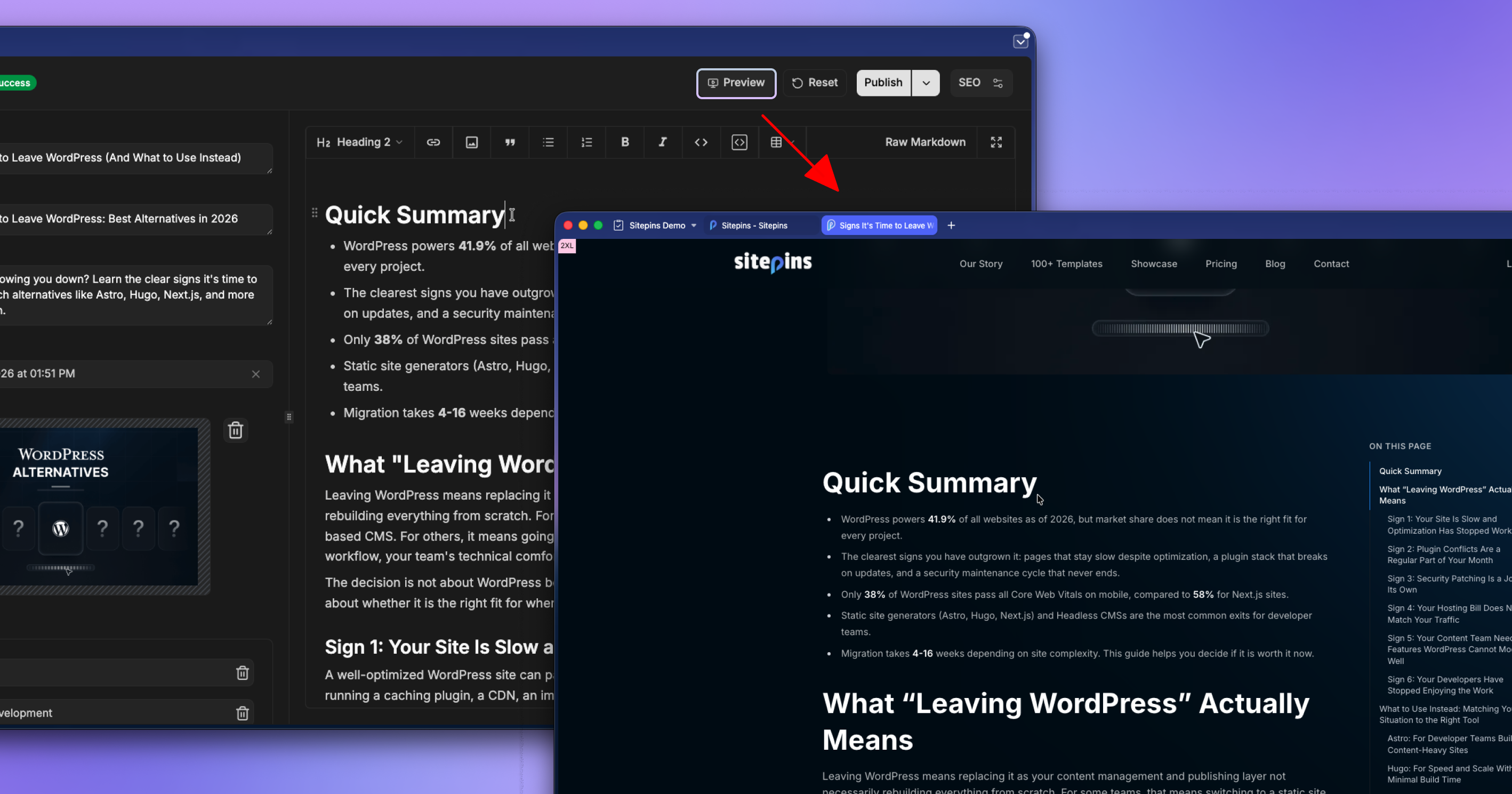
What: Sitepins now shows a live preview of your content as a web page and it would update dynamically as you make changes in the editor. What you see in the preview is exactly what will appear on the page once published.
Why: A common issue editors ran into was content that looked fine in the editor but came out with unexpected formatting or layout issues after publishing. With live preview, you can verify how everything looks before it goes live, so there are no surprises after the fact.
Multilingual Support
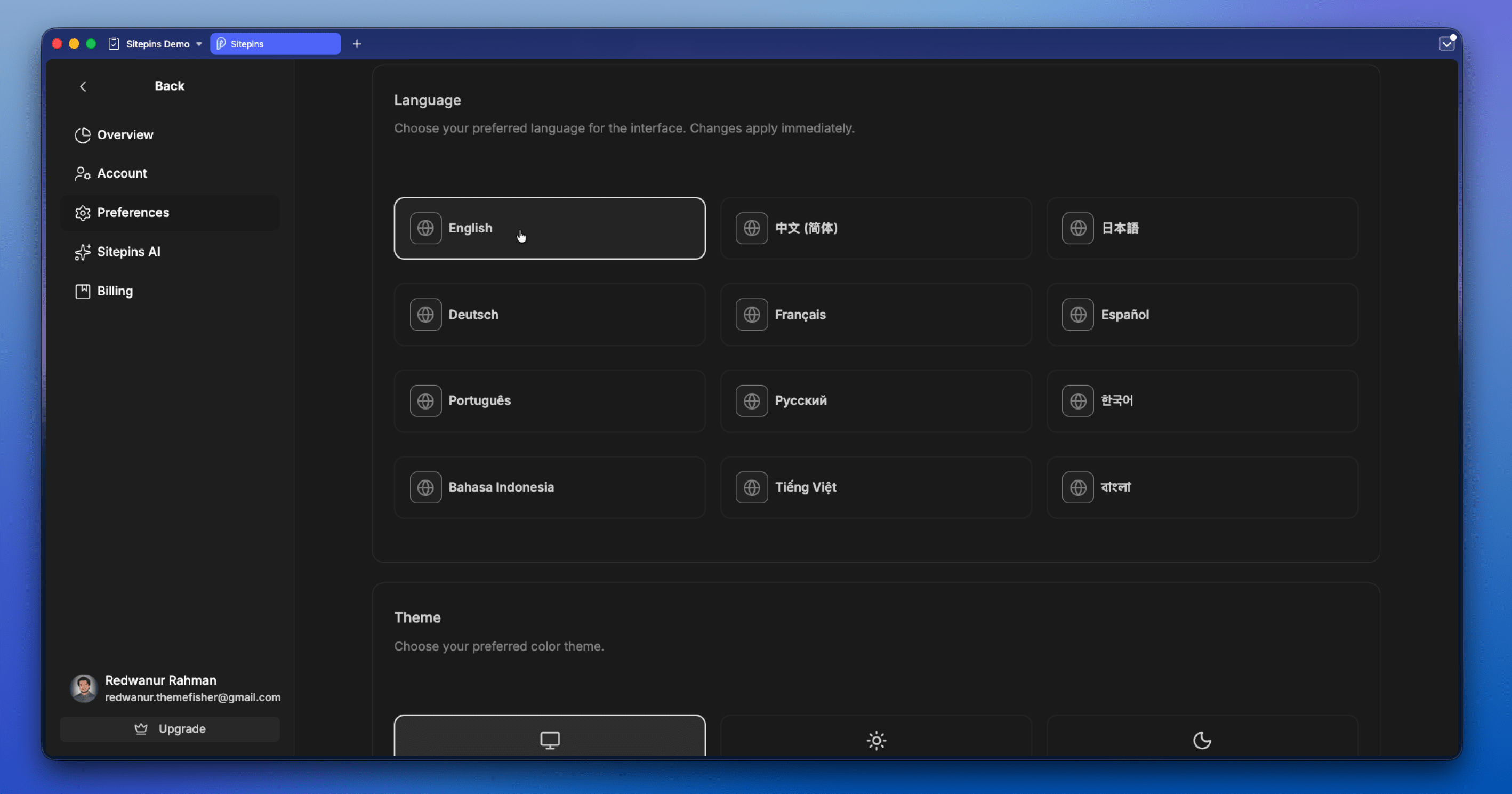
What: We have expanded Sitepins’ native multilingual support to 12 languages (as of writing this).
The full list now includes:
- English (en)
- Chinese (中文, zh)
- Japanese (日本語, ja)
- German (Deutsch, de)
- French (Français, fr)
- Spanish (Español, es)
- Portuguese (Português, pt)
- Russian (Русский, ru)
- Korean (한국어, ko)
- Indonesian (Bahasa Indonesia, id)
- Vietnamese (Tiếng Việt, vi)
- Bengali (বাংলা, bn)
Why: Our users come from all over the world, and browser-based translation tools do not always produce accurate results. Native language support means enables editors to manage their content in their own language without having to rely on any third-party tools.
Read about Sitepins’ native i18n support: Sitepins Now Speaks Your Language
Collaborative Editing
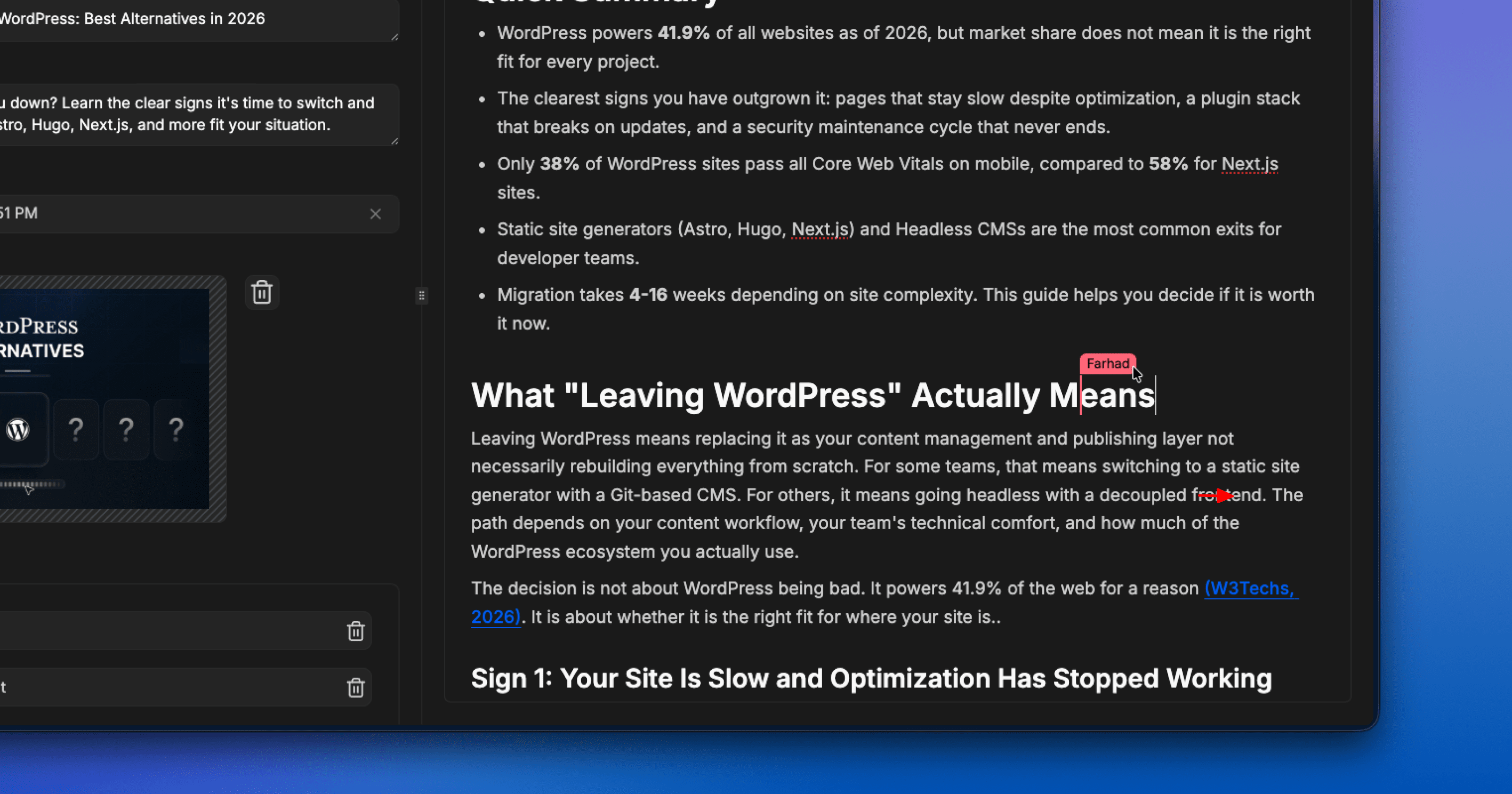
What: Improving on the live avatar indicators we launched in March, collaborative editing now goes a step further. You can see other users’ cursor placements in real time, with their names displayed alongside, similar to Google Docs. You always know who is on the file, where they are, and what they are changing as it happens.
Why: When multiple people work on the same file without any visibility into each other’s edits, it is easy to overwrite someone else’s changes without realizing it. Seeing exactly where each person is and what they are doing reduces editing conflicts.
Quality-of-Life Improvements
A few smaller updates worth noting:
- Global Search is now visible. Always accessible via
cmd + kon Mac andctrl + kon Windows, it now also appears as a visible element in the top left corner of the CMS. - Build status indicators have been improved for a clearer read on where your build stands.
- Recent File Changes now captures the full picture: renames, updates, and other modifications, not just content edits.
Closing
At Sitepins, we remain steadfast in our commitment to shipping updates that make your content management experience smoother and more reliable, all aimed at enhancing your experience and streamlining your workflow. If you are already using Sitepins, we would love to hear your feedback. Reach us on Discord or contact us directly.